

In today’s fast-paced digital world, time has become one of the most valuable resources. Whether you’re a small business owner, freelancer, entrepreneur, or office professional, repetitive tasks can consume hours of your day and prevent you from focusing on high-value work. The good news is that modern technology makes it easier than ever to automate repetitive tasks and dramatically increase productivity.
Learning how to automate repetitive tasks is no longer reserved for large corporations with dedicated IT teams. Affordable automation tools and artificial intelligence solutions now allow individuals and businesses of all sizes to streamline workflows, reduce human error, and save countless hours every week.
In this guide, you’ll discover what task automation is, why it matters, the best tools available, and practical ways to automate repetitive work in your daily operations.
What Is Task Automation?
Task automation is the process of using software, applications, or technology to perform routine tasks automatically with minimal human intervention.
Instead of manually completing the same actions repeatedly, automation tools follow predefined rules and workflows to execute those tasks for you.
Examples include:
- Automatically sending email responses
- Scheduling social media posts
- Backing up files
- Creating invoices
- Updating spreadsheets
- Organizing customer information
- Processing online forms
- Generating reports
The goal is simple: eliminate repetitive work so you can focus on strategic, creative, and revenue-generating activities.
Why Automate Repetitive Tasks?
Many professionals spend a significant portion of their workday performing repetitive administrative activities. While these tasks are necessary, they often provide little strategic value.
Benefits of Automation
Save Time
One of the biggest advantages of automation is time savings. Tasks that take hours manually can often be completed in seconds.
For example:
- Data entry can happen automatically.
- Reports can generate on a schedule.
- Emails can be triggered instantly.

Reduce Human Error
People make mistakes, especially when performing repetitive work.
Automation ensures consistency and accuracy by following the same process every time.
Increase Productivity
Employees can spend more time on:
- Customer service
- Business development
- Strategy
- Marketing
- Innovation
Instead of wasting time on repetitive administrative tasks.
Lower Operational Costs
Businesses that automate routine processes often require fewer resources to accomplish the same amount of work.
This can reduce labor costs and improve efficiency.
Improve Customer Experience
Automation allows faster responses, better communication, and more reliable service.
Customers appreciate quick answers and smooth interactions.
Signs That a Task Should Be Automated
Not every task should be automated. However, certain activities are ideal candidates.
Look for tasks that are:
- Repeated daily or weekly
- Rule-based
- Time-consuming
- Predictable
- Data-driven
- Prone to human error
Examples include:
- Sending invoices
- Managing leads
- Posting on social media
- Tracking inventory
- Creating backups
- Email marketing campaigns
If you’re doing the same thing repeatedly, there’s a good chance automation can help.
How to Automate Repetitive Tasks Step by Step
Successfully automating workflows requires a structured approach.
Identify Repetitive Processes
Start by listing all tasks you perform regularly.
Examples:
- Copying information between systems
- Responding to customer inquiries
- Scheduling appointments
- Updating spreadsheets
Track your daily activities for a week and identify tasks that consume significant time.
Prioritize High-Impact Tasks
Focus first on processes that:
- Take the most time
- Occur most frequently
- Create bottlenecks
Quick wins help demonstrate the value of automation.
Choose the Right Automation Tool
Different tasks require different solutions.
Common categories include:
- Workflow automation tools
- Marketing automation software
- Customer relationship management (CRM) systems
- AI-powered assistants
- Project management platforms
Selecting the right tool is critical for success.
Create Workflows
Map out each step of the process.
For example:
- The customer fills out a form.
- Information enters CRM.
- Confirmation email is sent.
- The sales team receives notification.
Automation software can perform these actions automatically.
Test Before Full Deployment
Always test workflows before implementing them company-wide.
Check for:
- Errors
- Missing data
- Incorrect triggers
- Duplicate actions
Small issues can create large problems if left unnoticed.
Monitor and Optimize
Automation is not a “set it and forget it” process.
Regularly review workflows and look for improvements.
Business needs evolve, and automation should evolve too.
Best Automation Tools for Repetitive Tasks
Many powerful automation platforms are available today.
Let’s explore some of the most popular options.
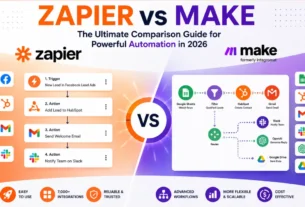
Zapier
Zapier is one of the most widely used automation platforms.
It connects thousands of applications and allows users to create automated workflows called “Zaps.”
Common uses:
- Save email attachments automatically
- Add leads to CRM systems
- Create tasks from form submissions
Best for:
- Small businesses
- Freelancers
- Marketing teams
Make
Make (formerly Integromat) offers advanced workflow automation capabilities.
Compared to Zapier, it often provides more flexibility and visual workflow design.
Popular uses:
- Data synchronization
- E-commerce automation
- Complex business workflows
Best for:
- Power users
- Growing businesses
- Technical teams
Microsoft Power Automate
Microsoft Power Automate integrates seamlessly with Microsoft products.
Organizations already using:
- Outlook
- Excel
- SharePoint
- Teams
can automate many internal processes quickly.
Best for:
- Enterprise environments
- Microsoft users
Trello Automation
Trello includes built-in automation features called Butler.
It can:
- Move cards automatically
- Assign tasks
- Create reminders
Best for:
- Project management
- Team collaboration
Asana Automation
Asana enables workflow automation inside project management systems.
Examples include:
- Automatic task assignments
- Status updates
- Due date reminders
Best for:
- Teams managing multiple projects
AI and Automation: The Perfect Combination
Artificial Intelligence is transforming automation.
Traditional automation follows fixed rules.
AI-powered automation can:
- Learn patterns
- Analyze data
- Generate content
- Make predictions
This creates more intelligent workflows.
Examples include:
- AI chatbots
- Customer support automation
- Predictive analytics
- Automated content creation
AI is making automation more powerful than ever.
Automating Email Management
Email is one of the biggest productivity killers.
Many professionals spend several hours daily managing inboxes.
Automation can help by:
- Filtering messages
- Creating labels
- Sending autoresponders
- Scheduling follow-ups
Popular email automation tools include:
- Gmail filters
- Outlook rules
- Mailchimp
- ActiveCampaign
By automating email management, you can reclaim significant time each week.
Automating Social Media Marketing
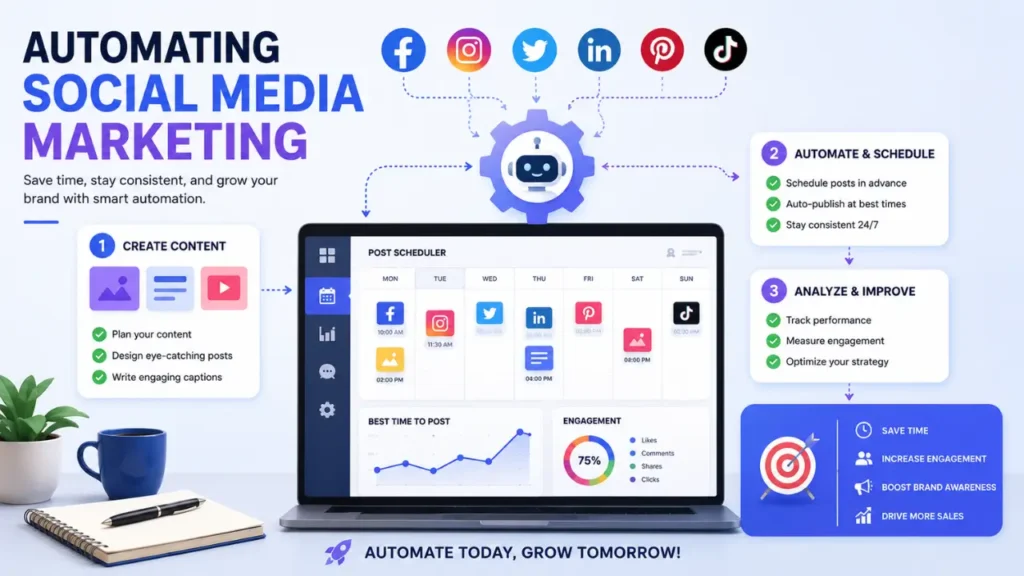
Social media management involves many repetitive activities.
Tasks include:
- Publishing posts
- Sharing content
- Responding to comments
- Tracking engagement
Automation tools can schedule content weeks or months in advance.
Popular platforms include:
- Buffer
- Hootsuite
- Later
- SocialBee
Benefits include:
- Consistent posting
- Improved engagement
- Better time management
Automating Customer Support
Customers expect fast responses.
Automation helps businesses provide support 24/7.
Chatbots
Modern AI chatbots can answer common questions instantly.
Examples include:
- Order status
- Shipping information
- FAQs
Help Desk Automation
Support platforms can automatically:
- Route tickets
- Assign agents
- Send updates
Popular tools include:
- Zendesk
- Freshdesk
- Intercom
This improves customer satisfaction while reducing support costs.
Automating Data Entry
Data entry is one of the most repetitive business activities.
Automation can eliminate manual typing by:
- Extracting information from forms
- Syncing databases
- Importing customer records
Benefits include:
- Faster processing
- Fewer mistakes
- Better data quality
Businesses handling large volumes of information can save hundreds of hours annually through automated data entry.
Automating Financial Processes
Finance departments often manage repetitive tasks such as:
- Invoice creation
- Expense tracking
- Payment reminders
- Financial reporting
Automation software can streamline these workflows.
Popular solutions include:
- QuickBooks
- Xero
- FreshBooks
Benefits include:
- Improved accuracy
- Faster payments
- Better cash flow management
Common Automation Mistakes to Avoid
While automation offers tremendous benefits, mistakes can reduce effectiveness.
Automating Poor Processes
Automation does not fix broken workflows.
Always optimize processes before automating them.
Over-Automating
Some tasks still require human judgment.
Avoid removing human oversight where it adds value.
Ignoring Security
Automated systems often handle sensitive information.
Implement proper:
- Access controls
- Data protection
- Security monitoring
Lack of Testing
Testing is essential.
Even small workflow errors can impact customers and business operations.
Future Trends in Task Automation
Automation technology continues to evolve rapidly.
Several trends are shaping the future.
AI-Powered Agents
Intelligent agents can complete increasingly complex tasks without human intervention.
Hyperautomation
Hyperautomation combines:
- AI
- Machine learning
- Robotic process automation (RPA)
to automate entire business processes.
No-Code Automation
No-code platforms allow non-technical users to create workflows without programming knowledge.
This trend is making automation accessible to everyone.
Predictive Automation
Future systems will not only automate tasks but also anticipate needs before users take action.
This represents the next major leap in workplace efficiency.
How Small Businesses Can Start Today
Many small business owners believe automation is expensive or complicated.
In reality, getting started is easier than ever.
Begin with one process.
Examples include:
- Lead management
- Email marketing
- Appointment scheduling
- Invoice generation
Implement a simple workflow and measure the results.
Once you see the benefits, expand automation gradually.
This approach minimizes risk while maximizing return on investment.
Real-World Examples of Task Automation Success
Understanding how to automate repetitive tasks becomes even easier when looking at real-world examples. Businesses across nearly every industry are using automation to increase efficiency, reduce costs, and improve customer experiences.
E-Commerce Automation
Online stores often handle hundreds or even thousands of transactions every day. Without automation, managing orders, inventory, customer communication, and shipping updates would be overwhelming.
E-commerce businesses commonly automate:
- Order confirmations
- Shipping notifications
- Inventory updates
- Customer review requests
- Abandoned cart emails
For example, when a customer makes a purchase, an automated workflow can instantly send a confirmation email, update inventory levels, notify the warehouse team, and schedule a follow-up review request—all without human intervention.
Marketing Automation
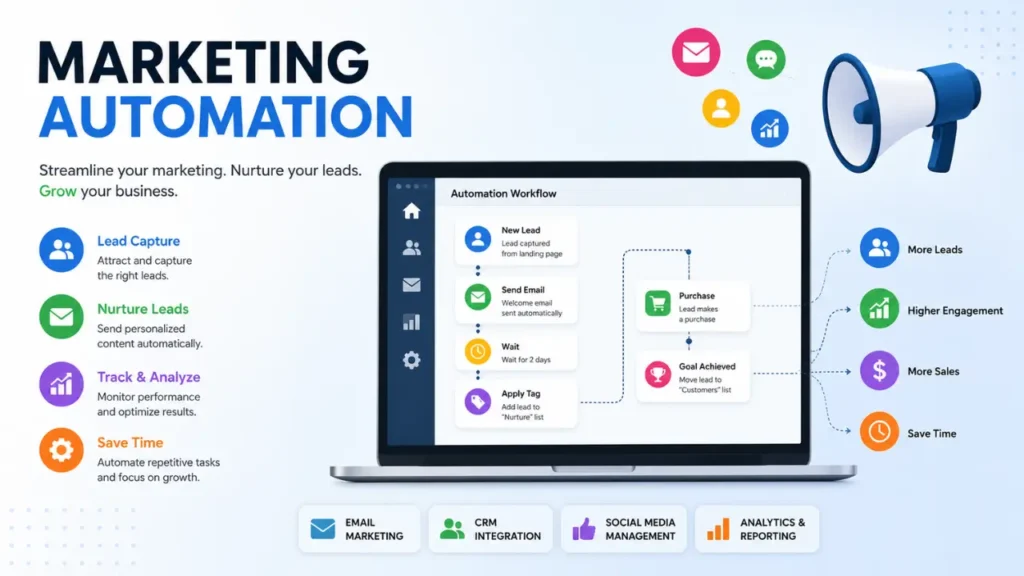
Marketing teams rely heavily on automation to nurture leads and convert prospects into customers.
Popular marketing automation tasks include:
- Email campaigns
- Lead scoring
- Social media scheduling
- Audience segmentation
- Customer journey tracking
A company might automatically send a welcome email when someone subscribes to a newsletter. A few days later, the subscriber receives educational content, followed by a product recommendation based on their interests. This entire sequence can operate automatically while generating sales around the clock.
Human Resources Automation
Human Resources departments manage numerous repetitive administrative tasks that can be streamlined through automation.
Examples include:
- Employee onboarding
- Interview scheduling
- Time-off requests
- Payroll processing
- Training reminders
Instead of manually sending documents to every new hire, HR automation platforms can automatically deliver onboarding materials, collect signatures, assign training courses, and schedule introductory meetings.
Accounting and Finance Automation
Finance professionals spend significant time managing invoices, receipts, and payment records.
Automation tools can:
- Generate invoices automatically
- Send payment reminders
- Categorize expenses
- Reconcile transactions
- Create monthly reports
This reduces manual work while improving financial accuracy and compliance.
Customer Relationship Management Automation
CRM systems help businesses manage customer interactions more effectively.
Automated CRM workflows can:
- Assign leads to sales representatives
- Schedule follow-up reminders
- Update customer records
- Track communication history
- Trigger personalized marketing campaigns
As a result, sales teams spend less time on administrative tasks and more time building relationships with customers.
Measuring the Return on Investment (ROI) of Automation
One of the best ways to justify automation investments is by measuring the return on investment.
Consider the following questions:
- How many hours are saved each week?
- How many manual errors are eliminated?
- How much faster are tasks completed?
- Has customer satisfaction improved?
- Has revenue increased?
For example, if an employee spends 10 hours per week manually entering data and automation reduces that workload to one hour, the business saves approximately 468 hours annually. Those hours can then be redirected toward strategic initiatives that generate greater value.
The most successful organizations treat automation as an ongoing improvement process rather than a one-time project. By continuously identifying repetitive activities and implementing smart workflows, businesses can create a more productive, scalable, and competitive operation.
Conclusion
Learning how to automate repetitive tasks is one of the most valuable productivity skills in today’s digital economy. Automation saves time, reduces errors, improves efficiency, and allows individuals and businesses to focus on higher-value activities.
Whether you’re automating email management, social media marketing, customer support, data entry, or financial processes, modern automation tools provide powerful solutions that are accessible to organizations of all sizes.
The key is to start small, identify repetitive workflows, choose the right tools, and continuously optimize your processes. As artificial intelligence and automation technologies continue to advance, businesses that embrace automation will gain a significant competitive advantage.
If you haven’t started automating repetitive tasks yet, now is the perfect time. Every minute you save through automation is a minute you can invest in growing your business, serving customers, and achieving your goals.